User manual and frequently asked questions Blendforce Glass
Enjoy your daily preparations faster
Blendforce delivers power, performance with the Powelix Technology. One aim: to reach the perfection faster! With a large capacity thermal shock resistant glass jar and an innovative Air Cooling System for optimum motor durability, this blender provides a powerful motor, safety features with the Smart Lock Technology and an ergonomic design for increased efficiency and ease-of-use.
You must create an account and log in to your app to access this feature.
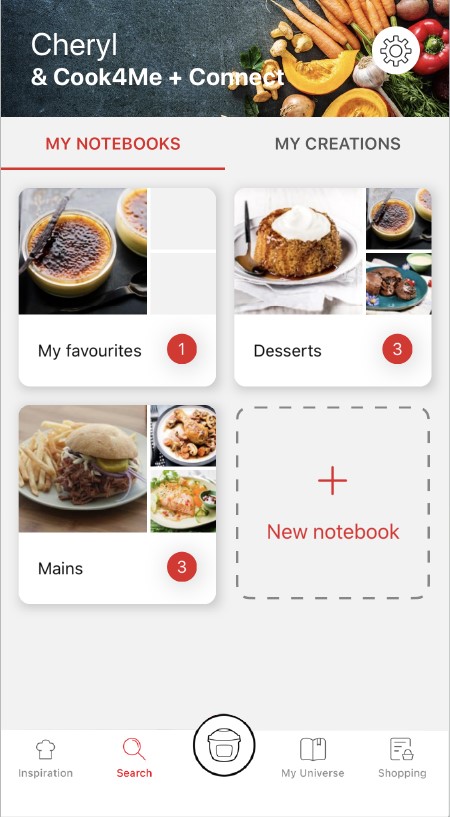
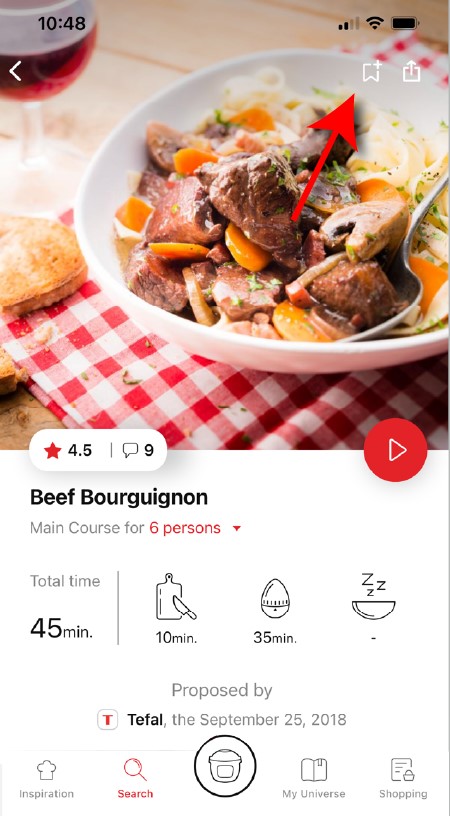
• Go to the recipe you wish to bookmark and select the bookmark logo in the top right corner. • A "My Notebooks" tab appears: select the "My Favorites" location. • The recipe has been added.
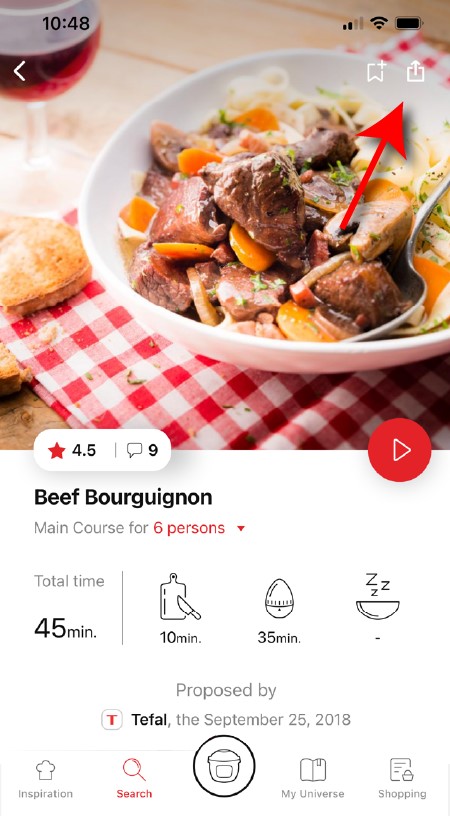
You need to create an account and sign in to the application in order to access this feature. Click the sharing logo to view the sharing options. You can then choose how you would like to share this recipe.
The application has rich content and requires a stable Wi-Fi connection to download correctly. If your application does not download correctly, delete it and try to download again when you have a more stable Wi-Fi connection. During initial installation, the download may take several minutes while the application saves all the photos on your Smartphone or tablet.
Your application uses notifications to alert you at the end of cooking times using a beep. If you want to turn off this signal, simply deactivate it in your tablet or Smartphone. You may also disable sounds in the parameter settings for notifications on your telephone or tablet.
Your application uses notifications to alert you when your cooking is finished but also to let you know when new content (information, recipe...) is available. If you wish, you can disable them from your smartphone settings.
You must create an account and log in to your app to access these features.
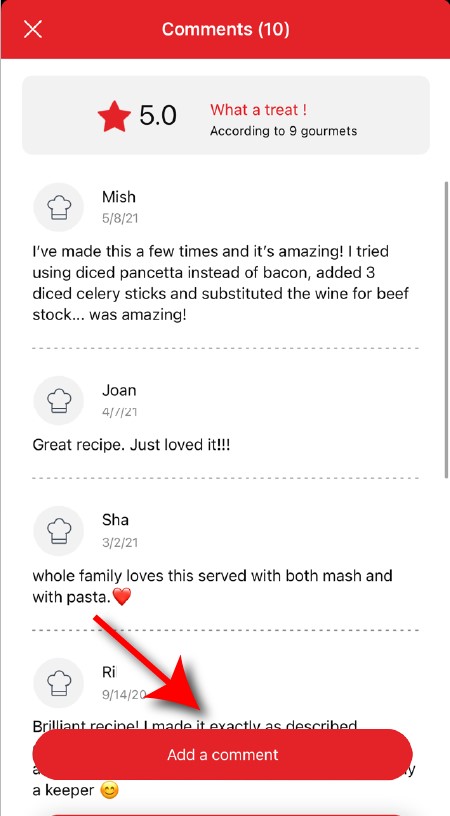
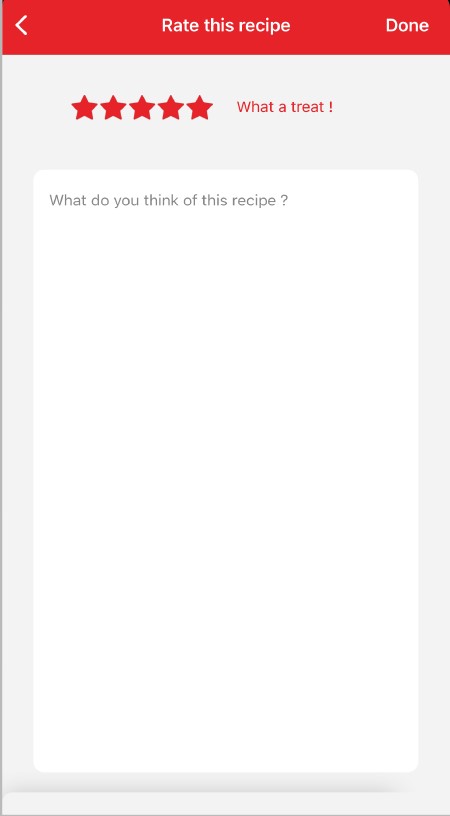
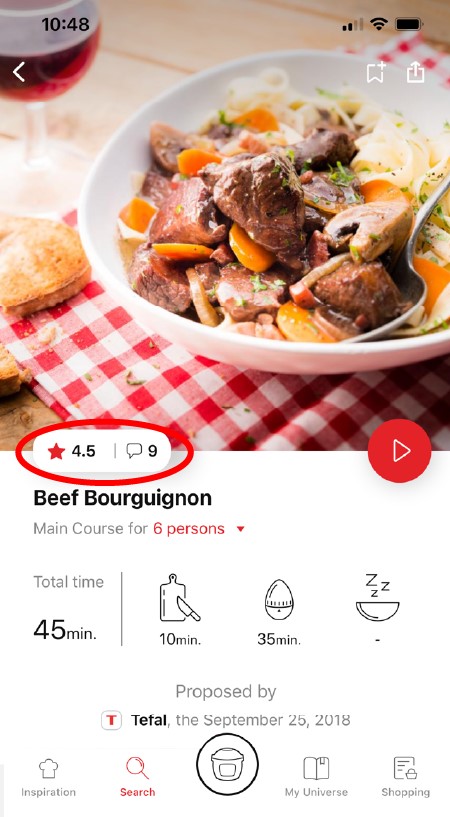
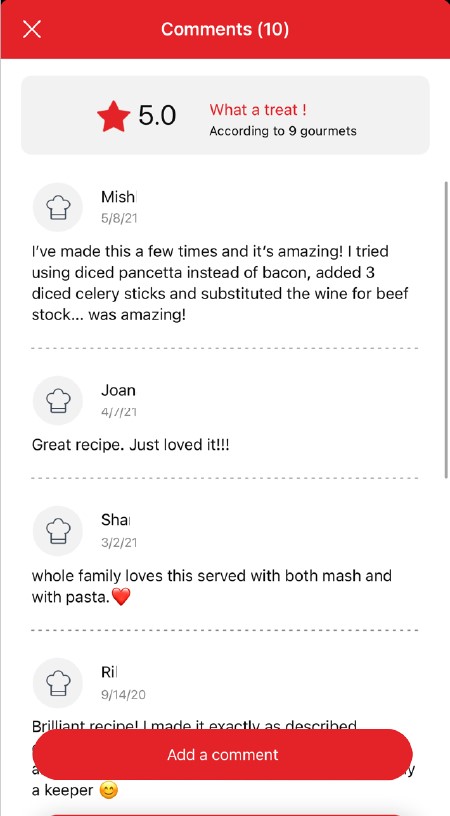
Once logged into your account, you will be able to rate the recipe and add a comment by following the instructions that appear on the screen after clicking on the notes/comments space.
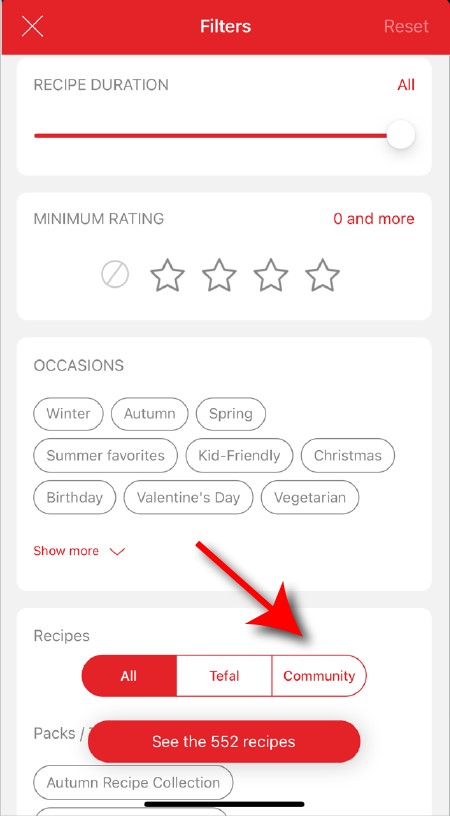
When using the search function, select "Filter recipes". In the "Recipes" section, select "Community" only. You will then be able to see the recipes from the community.
Once you have completed your search, specific filters make it easier for you to find the recipes that meet your needs.
The customizable filter: • Click on "Filter" in order to sort the recipes according to the type of dish (starter, main course, dessert), the time it takes to make the recipe, the minimum rating, their themes (or packs)... • You can also choose to select only the recipes of the brand or the recipes proposed by the community.
Sorting recipes: Once you have made a search, you can sort your recipes by popularity, rating, age or alphabetical order.
You must create an account and log in to your app to access these features.
Once logged in, you will be able to read the comments and see the notes that community members have given to the recipe by clicking on the notes/comments area.
You must create an account and log in to your app to access this feature.
• Choose the "My Universe" tab in the navigation bar. • There, you will find your recipe booklets and can create new ones by clicking on "New booklet".
Choose the "My Universe" tab in the navigation bar, then select the booklet you wish to modify or delete. Click on the pencil at the top right of the screen, then select the action you are looking for ("Delete booklet", "Rename booklet" or "Delete recipes").
It is important to select your product in the app in order to find the right recipes for that product. This way, the app will suggest hundreds of ideal recipes. It will also let you add your accessories and access the associated recipes.
• In "My universe", select "My profile". • Click on the image of the registered product. • Click on "Remove the product". The app will then ask you to select a product.
Before using it for the first time, we recommend that you wash all the blender accessories in hot soapy water, taking care not to injure yourself with the blades, which are extremely sharp. It is not necessary to wash the body of the blender before use.
Use the "pulse" function for 2 second bursts each time, for a maximum period of 3 minutes. Stop and leave the blender on pause for 15 minutes before restarting.
To clean the body of the appliance, first of all unplug it and then wipe it with a damp cloth. To clean the bowl, use soapy water or washing-up liquid. Some bowls are dishwasher safe, see instructions for use.
There is probably too much food, or some pieces are too big or too hard. You can reduce the size or amount of ingredients, or add some liquid.
Always use the blender with the lid or guard in place as indicated in the instructions. Never put your hand in the blender jug when it is placed on the motor unit. If you need to push the food down, use a suitable tool, for example a spatula.
The appliance may not be on a flat, stable surface, the appliance is not stable. The volume of ingredients to be blended is too high, reduce the quantity of ingredients. If the vibrations persist, contact an approved repair centre.
Leak through lid (overflow): • The volume of ingredients is too high, do not exceed the maximum filling level for the bowl as stated in the instructions for use. • The lid is not correctly positioned, lock it securely on the mixer bowl. If the lid has a seal, check its condition and change it if necessary.
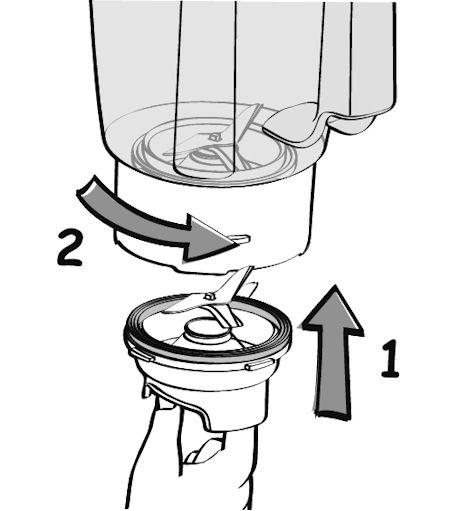
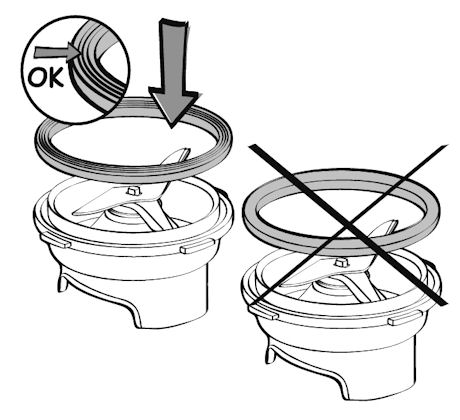
Leak from the bottom of the bowl: • Your appliance does not have a removable blade unit: the seal on your blade unit may be damaged, have it checked by an approved repair centre. • If your appliance has a removable blade unit: check it is positioned correctly on the jug. You need to ensure that the black notches on the blade unit are fitted fully into the equivalent recesses on the base of the jug – this will be apparent if you cannot turn the blade unit any further and if you turn the jug upside down you should not be able to see any gaps between the jug and the blade unit. • Check that the gasket/seal is positioned the correct way around on the blade unit - the 3 folds of the gasket/seal must be visible once it is in place. If it is positioned in the other direction, you will not be able to lock the blade unit on the jug. • Check the condition of the seal/gasket and change it if necessary. • Check that your bowl is not split or broken as a result of impact.
If the leak persists, take the appliance to an approved repair centre.

 Cookies are used for audience measurement and personalization to help us improve your use of the product.